PESCO New Connection
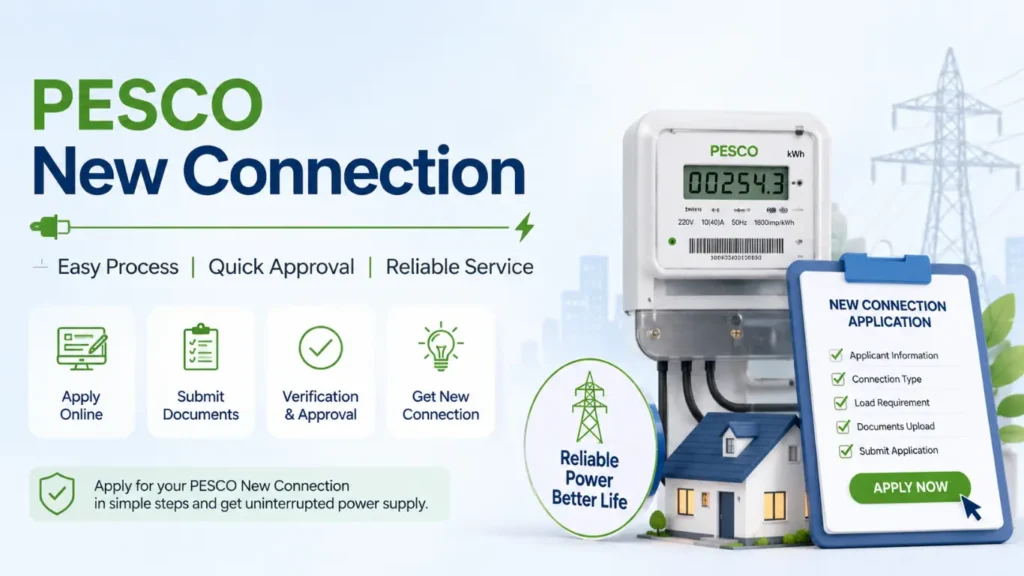
If you’re building a new house, opening a shop, setting up an office, or starting a business, you’ll need to apply for a new PESCO electricity connection. The good news is that you can complete the entire application process online without visiting a PESCO office.
Many people are still unaware that PESCO offers an online application system. As a result, they spend hours traveling to offices, waiting in long queues, and dealing with unnecessary paperwork. Applying online is much more convenient it saves time, reduces travel expenses, and allows you to submit your application from the comfort of your home.
How to Apply for a PESCO New Connection
Here are some important step you have to follow.
Required Documents
Along with your online application, you’ll need to upload a few supporting documents. Before uploading, make sure each file is clear, readable, and does not exceed 300 KB in size. If any document is larger than the allowed limit, compress it first and then upload it to avoid submission errors.
Proof of Property Ownership
The first document you need to upload is proof of ownership for the property where the new electricity connection will be installed. You can submit documents such as a Registry or Fard as ownership proof. Make sure all property documents are properly attested by the relevant authority before uploading them with your application.
Online Application Print
Print the completed application form, fill in the required details, attach all the necessary documents, and submit the complete file to the relevant PESCO office.
Applying for a new PESCO electricity connection is quick and convenient. Just follow these simple steps:
- Visit the official PESCO website and open the New Connection section.
- Click on Apply New Connection to open the online application form.
- Select the connection type based on your requirement, such as Domestic, Commercial, Industrial, Agricultural, Tubewell, Temporary, General Services, Residential Colony, or Street Light.
- Enter your NTN and STRN details, if applicable.
- Choose PESCO from the list of electricity distribution companies.
- Select your Sub-Division.
- Specify whether you are the property owner or a tenant.
- Fill in your personal information, including your CNIC, full name, father’s or mother’s name, address, and mobile number.
- Enter the contact person’s details. If the contact person is the same as the applicant, simply select the “Same as Above” option.
- Provide the required premises and neighbor information.
- Select the meter installation company and upload all the required documents.
- Read the terms and conditions, tick the “I Agree” checkbox, and click Submit to complete your application.
That’s it! Your online application for a new PESCO connection will be submitted successfully.
Applying online saves you from unnecessary visits to PESCO offices and long waiting times. You can complete the entire process from home using your mobile phone or computer. Similarly, you can also check your PESCO bill, calculate your electricity bill, submit complaints, and pay your bill online through services like JazzCash, EasyPaisa, and other digital payment methods.
FAQ,s About PESCO New Connection
1. How can I apply for a PESCO new connection?
Apply online through the ENC portal by filling out the application form and uploading the required documents.
2. What documents are required for a PESCO new connection?
You need a CNIC copy, property ownership/tenancy proof, and other documents requested by PESCO.
3. What is the PESCO new connection fee?
The fee depends on your connection type, load, and the latest tariff approved by authorities.
4. How long does it take to get a PESCO new connection?
The processing time varies based on verification, inspection, and payment completion.
5. Can I apply for a PESCO new connection online?
Yes, you can submit your application online through the official Electricity New Connection (ENC) portal.
6. How can I check my PESCO new connection status?
Enter your application or tracking number on the ENC portal to view the latest status.
7. Can I apply for a commercial PESCO connection?
Yes, PESCO offers domestic, commercial, industrial, and agricultural electricity connections.
8. Can I increase the load while applying for a new connection?
Yes, you can request the required load during the application process.
9. What should I do if my PESCO new connection is delayed?
Check your application status online or contact the nearest PESCO customer service center.
10. Can I transfer a PESCO new connection to another person’s name?
Yes, you can apply for a name transfer by submitting the required documents to PESCO.